VideoEnchant
A downloadable tool for Windows
https://discord.gg/DGJMTmTgRH - Support
Download
Install instructions
VideoEnchant beta 0.9 — 日本語
VideoEnchantは、ExecuteNULLが開発する無料のWindows用動画編集ソフトです。
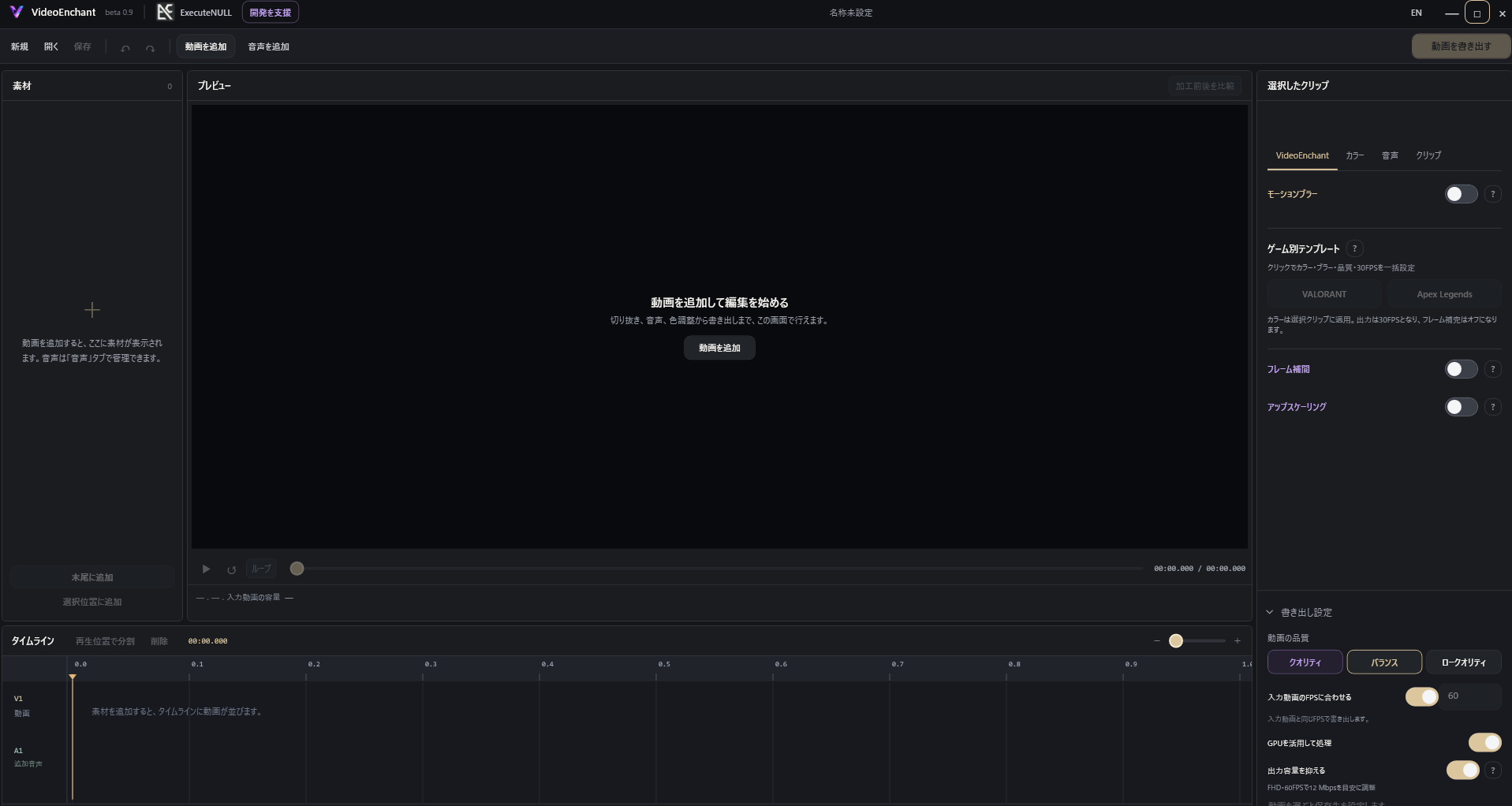
動画の切り抜き、音声追加、色調整に加え、モーションブラー・フレーム補完・AI高画質化を一つのソフトで利用できます。日本語・英語に対応し、ゲームクリップの編集を分かりやすく行えることを目指しています。
全機能無料。アカウント登録・ライセンス購入・動画の時間制限はありません。 動画の処理は、お使いのPC上で行います。
主な機能
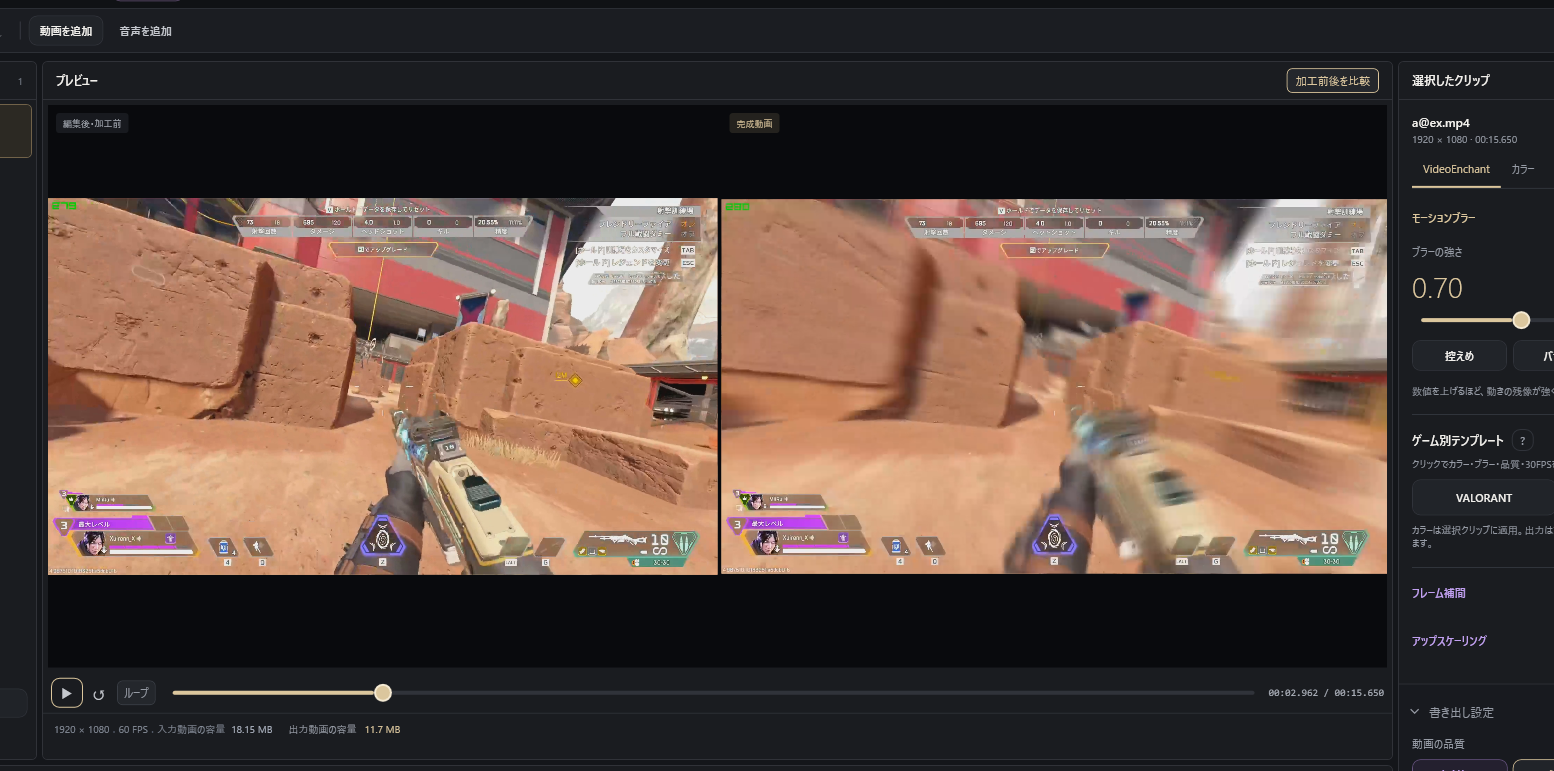
- モーションブラー:動きに自然な残像を加えます。
- フレーム補完:60FPSから120FPSなど、フレーム数を増やして動きを滑らかにします。
- AI高画質化:Real-ESRGAN/Real-CUGANを選択し、解像度を拡大します。
- 動画のトリミング・分割・並べ替え、音声追加、色・RGB調整。
- VALORANT/Apex Legends向けの設定テンプレート。
- 加工前後の比較再生、出力品質・FPS・容量の調整。
インストール方法
- このページからWindows版のZIPをダウンロードします。
- ZIPを右クリックし、「すべて展開」で解凍します。
- 中の VideoEnchant-beta-0.9-Setup.exe を実行します。
- 日本語または英語を選び、インストール先を指定します。
- 画面の案内に沿ってインストールし、VideoEnchantを起動します。
必要な.NET 10は、インストーラーが確認し、不足している場合に導入します。その際はインターネット接続が必要です。選択した言語はアプリの初期表示にも反映されます。既存の言語設定がある場合は、その設定を保持します。
推奨環境の目安 — FHD動画の編集向け
以下は暫定的な推奨目安であり、最低動作要件ではありません。
| 項目 | 推奨目安 |
|---|---|
| OS | Windows 11・64bit |
| CPU | Intel Core i5-10400/AMD Ryzen 5 3600程度以上 |
| メモリ | 16GB以上。高解像度・複数の加工を組み合わせる場合は32GB以上 |
| NVIDIA GPU | GeForce RTX 3060 12GB/RTX 4060 8GBなど |
| AMD GPU | Radeon RX 6600 8GB/RX 7600 8GBなど |
| GPUメモリ | 8GB以上を目安。高解像度処理では、より多い容量を推奨 |
| ストレージ | SSD推奨。インストール準備用に10GB以上の空き容量と、動画保存・作業用の容量を別途確保 |
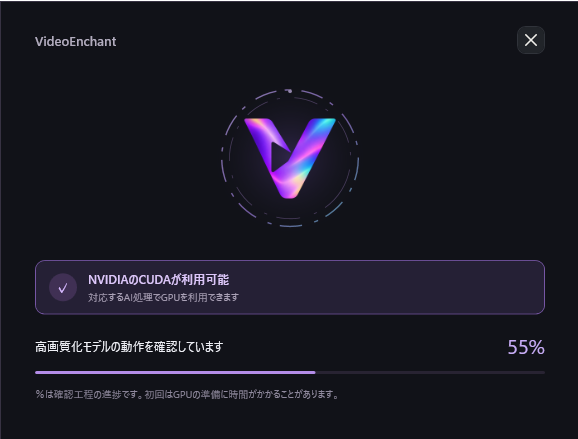
NVIDIA・AMDの対応GPUを利用できます。フレーム補完では、動作確認に成功したNVIDIA環境でTensorRTを利用し、それ以外の対応環境ではVulkan方式を利用します。AMDではNVIDIA専用のTensorRTは使用できません。
現在、VideoEnchantでの実機動作確認済みGPUはGeForce RTX 4080です。AMD GPUおよび上記の推奨候補は実機検証前です。 利用できる機能や処理時間は、GPU・ドライバー・動画の解像度・設定によって異なります。GPUドライバーは最新の安定版をご利用ください。
開発への支援
VideoEnchantは無料で開発・提供しています。気に入っていただけましたら、任意の支援で開発を応援していただけると嬉しいです。支援の有無による機能差はありません。
VideoEnchant beta 0.9 — English
VideoEnchant is a free Windows video editor developed by ExecuteNULL.
Trim clips, add audio, adjust colors, and apply motion blur, frame interpolation, and AI upscaling—all in one application. With Japanese and English interfaces, VideoEnchant aims to make editing gaming clips easy to understand.
All features are free. No account, license purchase, or video duration limit is required. Video processing runs locally on your PC.
Features
- Motion blur for natural-looking motion trails.
- Frame interpolation, such as converting 60FPS footage to 120FPS.
- AI upscaling with a choice of Real-ESRGAN or Real-CUGAN.
- Clip trimming, splitting and rearranging, added audio, and color/RGB adjustments.
- Presets for VALORANT and Apex Legends.
- Before-and-after comparison playback, output quality and FPS settings, and file-size optimization.
Installation
- Download the Windows ZIP from this page.
- Right-click the ZIP and select Extract All.
- Run VideoEnchant-beta-0.9-Setup.exe.
- Select Japanese or English and choose an installation folder.
- Follow the installer instructions, then launch VideoEnchant.
The installer checks for .NET 10 and installs it if needed. An internet connection is required for that download. The selected language becomes the application's initial language; an existing saved language preference is preserved.
Suggested Hardware — 1080p Editing
These are provisional recommendations, not verified minimum requirements.
| Component | Suggested specification |
|---|---|
| OS | Windows 11, 64-bit |
| CPU | Intel Core i5-10400 / AMD Ryzen 5 3600 class or better |
| RAM | 16GB or more; 32GB or more for higher resolutions or combined effects |
| NVIDIA GPU | Examples: GeForce RTX 3060 12GB / RTX 4060 8GB |
| AMD GPU | Examples: Radeon RX 6600 8GB / RX 7600 8GB |
| VRAM | Aim for 8GB or more; additional VRAM is recommended for higher resolutions |
| Storage | SSD recommended. Allow at least 10GB free for installation preparation, plus additional space for video files and processing |
Compatible NVIDIA and AMD GPUs can be used. Frame interpolation uses TensorRT on NVIDIA systems that pass initialization checks, or Vulkan on other supported configurations. NVIDIA-only TensorRT is unavailable on AMD GPUs.
The GeForce RTX 4080 is currently the GPU tested with VideoEnchant on physical hardware. AMD GPUs and the suggested models above have not yet been physically tested. Feature availability and processing time vary with hardware, drivers, resolution, and settings. Please use current stable GPU drivers.
Support Development
VideoEnchant is developed and provided free of charge. If you enjoy using it, optional support helps us continue development. Donations do not unlock additional features.
Comments
Log in with itch.io to leave a comment.
レビューはこちらからお願いします。
もし不具合があった場合は https://x.com/Execute_Null までご連絡ください。
Please leave your review here.
If you encounter any issues, please contact us at https://x.com/Execute_Null